
 League of Legends
 FortniteBeta
 CS2Beta
 DeadlockBeta
Starter kit for a new CS2 creator
Starting a CS2 channel comes down to five things: record clean, clip the rounds that matter, post one round per clip, say the round state in the title, and keep a routine you can hold for a month. This kit covers each one and plans your first 10 clips.
A CS2 match is mostly holding angles, rotating and buying. The clip is the few seconds where you swing and take the fight. Every match has one if you look.
1. Record it properly
- Use OBS or Streamlabs and record MKV. It survives a crash. See MKV or MP4.
- Record horizontal, crop vertical later. CS2 is a crosshair game, so you'll want to choose the crop per clip. See record horizontal or vertical.
- Keep the kill feed clear. Don't put your camera or alerts over the top right of the screen.
- Fix your mic and lighting once. Mic too low and lighting cost every clip.
2. What to record
Record every match, including the losses. A clutch in a lost game is still a clutch.
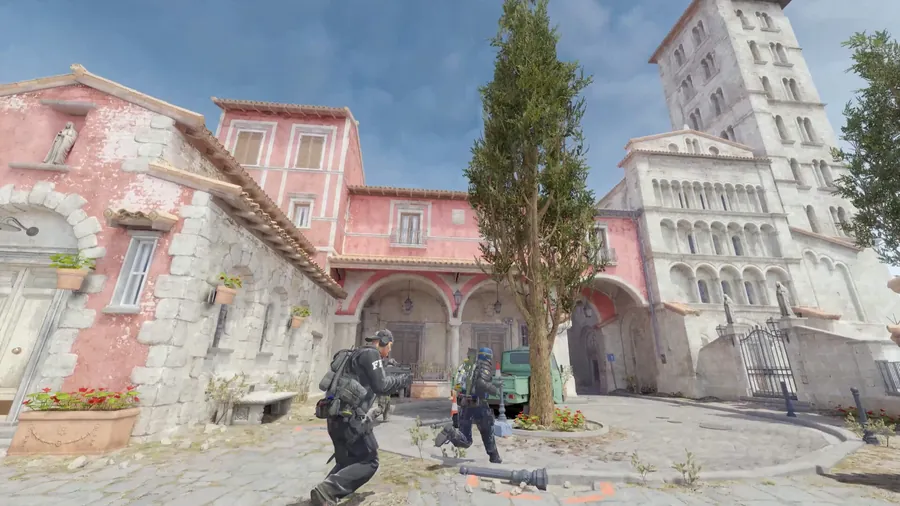
3. Your first 10 clips
- Your best clutch. 1v2 or better. The round state is the story.
- A multi kill on a retake. Kills close together, one clip.
- An ace. If you have one, it's your first post.
- A flick. One shot that looks impossible.
- A wallbang. Show the angle so the viewer gets it.
- Utility that wins the round. A flash into a double kill.
- An eco round win. Pistols against rifles.
- A defuse with no time left. Cut it right after the defuse.
- A funny moment. Your reaction is the hook.
- A clutch on a map in the current pool. People search for the maps they play.
4. Titles and thumbnail text
- Say the round state. "1v3, no kit, 20 seconds."
- Thumbnail text in five words or less. The stakes, not the skin.
- Description: what happens and on which map, your handle, four hashtags, a link. The full method is in titles, descriptions and hashtags for gaming Shorts.
YouTube Shorts
#CS2 #CounterStrike2 #CS2Clips #Gaming
TikTok
#cs2 #counterstrike2 #cs2clips #gamingclips
Instagram and Facebook Reels
#cs2 #counterstrike #gamingclips #gamer
5. A weekly routine you can hold
- Play as normal and record everything.
- One clipping session a week.
- Approve one clip per day you want to post.
- Schedule the week.
- Post around updates and Majors. Map and weapon changes bring people looking. More in when to post gaming clips.
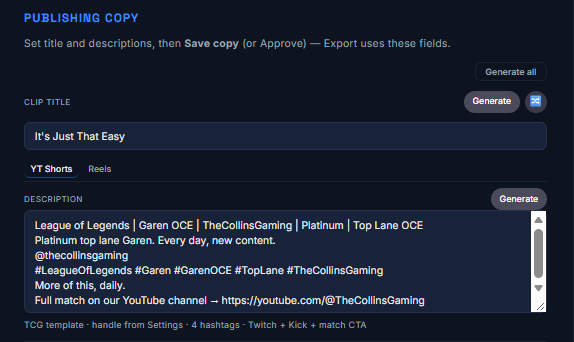 Opens full size in a new tab.
How TCG Machine fits in
CS2 is in beta in TCG Machine. It reads the kill feed, finds the rows that are yours, and opens a clip on each of your kills, with kills close together in one clip. You set the start, the end and the hook, it drafts the title, description and thumbnail text, and you approve every clip. Mistakes can happen in beta, so check each clip before you post. See the CS2 page.
Frequently asked questions
What should a new CS2 creator clip first?
Your best clutch, a multi kill and any ace. The round situation tells the story on its own.
How do I title a CS2 clip?
Say the round state, like "1v3, no kit, 20 seconds", and name the map in the description.
How should I crop CS2 for vertical?
Keep the crosshair in the middle of the vertical frame.
How many hashtags should I use on a CS2 Short?
About four, like #CS2 #CounterStrike2 #CS2Clips #Gaming.
When should I post CS2 clips?
On a schedule you can keep, and lean in around updates and Majors.
Does TCG Machine work with CS2?
Yes, in beta. It reads your own rows in the kill feed and opens them as clips. Check each clip before you post.