
 League of Legends
 FortniteBeta
 CS2Beta
 DeadlockBeta
Starter kit for a new League of Legends creator
Starting a League channel comes down to five things: record clean, know what to clip, post one moment per clip, name the matchup in the title, and keep a routine you can hold for a month. This kit walks through each one, then plans your first 10 clips.
Say you've just decided to post. You've got a few games recorded and no idea which bits to use. That's the normal starting point. The game gives you clips every match, so the job is to spot them and get them out.
1. Record it properly
- Use OBS or Streamlabs and record MKV. An MKV survives a crash. The guide on MKV or MP4 explains why and how to switch.
- Record horizontal, crop vertical later. You keep the whole frame and decide the crop per clip. See record horizontal or vertical.
- Use settings that suit League. The best OBS recording settings for League has the exact numbers.
- Keep your scoreboard clear. Don't put your camera or an alert box over the top of the screen.
- Fix the basics once. A mic that's too low or bad lighting costs every clip. Fix them before you record a month of footage.
2. What to record
Record every game you play, not just the ones you think will be good. The best clips come out of games you'd have forgotten. A ranked grind, a new champion or an off role are all worth recording.
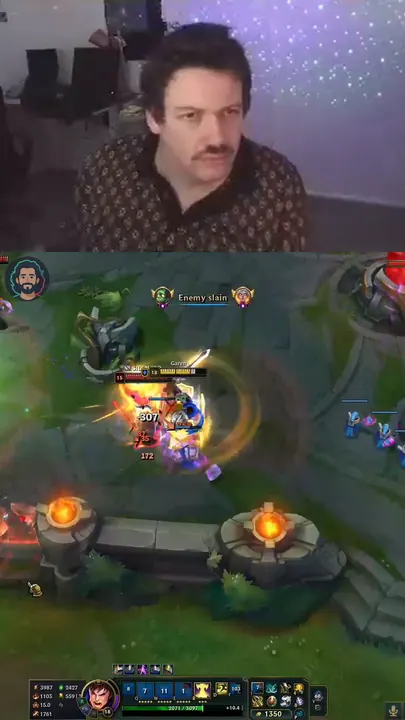
3. Your first 10 clips
Aim for variety, so you learn what your audience likes.
- Your best outplay. A flash dodge or a turn in a 1v2.
- A skirmish you swing. Your engage or your ult decides it.
- A multi kill. A double or better is the easiest League clip to watch without context.
- A steal or objective fight. A smite steal or a baron fight you take kills in.
- A comeback moment. The fight that turned a losing game.
- A lane kill in a named matchup. The title writes itself.
- A funny misplay. Your reaction is the hook.
- A clutch escape. You live on a sliver and get away.
- A teamfight from your point of view. Keep it to the fight.
- Your main champion at their best. People search for champions they play.
There's a longer list in what to clip from a League stream.
4. Titles and thumbnail text
- Name the matchup or the moment. "Garen vs Darius, level 3, he flashed first."
- Thumbnail text in five words or less. The situation, not the champion's lore.
- Description: what happens, your handle, four hashtags, a link. The full method and copy ready League hashtags are in titles, descriptions and hashtags for gaming Shorts.
YouTube Shorts
#LeagueOfLegends #LoL #LeagueClips #Gaming
TikTok
#leagueoflegends #lol #leagueclips #gamingclips
Instagram and Facebook Reels
#leagueoflegends #lol #gamingclips #gamer
5. A weekly routine you can hold
- Stream or play as normal. Record everything.
- One clipping session a week. Go through the week's recordings in one sitting.
- Approve one clip per day you want to post. Skip the rest.
- Schedule the week. Then you're done until next week.
- Check your numbers once a week. Look at which openings kept people watching. More in when to post gaming clips.
How TCG Machine fits in
TCG Machine reads the K/D/A counter on your scoreboard. Every kill or assist opens a clip, deaths never do, and a skirmish stays in one clip. You set the start, the end and the hook, it drafts the title, description and thumbnail text, and you approve every clip. YouTube can be scheduled from the app. See the League page for the details.
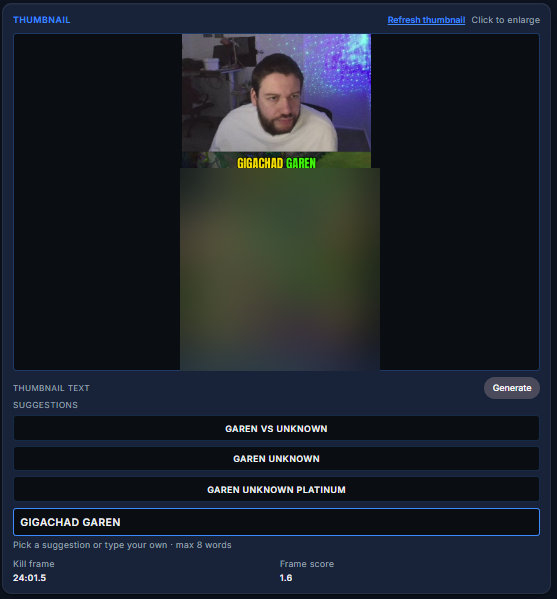 Opens full size in a new tab.
Frequently asked questions
What should a new League creator clip first?
Your best outplay, a skirmish you swing and a multi kill. They're the easiest League clips to watch without context.
What recording format should I use for League?
MKV in OBS, because it survives a crash. You can remux it to MP4 afterwards.
Should I record League vertical?
No. Record horizontal and crop to vertical per clip, so you keep the whole frame.
How do I title a League clip?
Name the matchup or the moment, like "Garen vs Darius, level 3". People click on matchups they play.
How many hashtags should I use on a League Short?
About four, like #LeagueOfLegends #LoL #LeagueClips #Gaming.
How often should a new League creator post?
As often as you can keep up for a month. One clipping session a week can cover a clip a day.
Does TCG Machine work with League of Legends?
Yes. It reads your K/D/A counter, opens a clip on every kill or assist, and you approve every clip.